
Latest Version
More About Epson EP-302 Resetter
Epson EP-302 Resetter: A Comprehensive Guide
The Epson EP-302 is a popular inkjet printer known for its affordability and reliable performance. However, like many inkjet printers, it has an integrated waste ink pad counter that tracks the amount of ink absorbed by the printer’s waste pads. Over time, this counter can reach its limit, causing the printer to stop functioning and display an error message such as "Service Required." In such cases, resetting the printer's waste ink pad counter can bring the printer back to life. This process, known as "resetting" the Epson EP-302, is essential for users who want to extend the lifespan of their printer.
In this article, we’ll explore what the Epson EP-302 Resetter is, why it’s necessary, how to use it, and safety considerations during the process.
What Is the Epson EP-302 Resetter?
An Epson EP-302 Resetter is a software tool designed to reset the waste ink pad counter on Epson printers, particularly models like the EP-302. When the printer reaches its waste ink pad limit, it signals the user that a service is required, preventing the printer from printing. The resetter tool clears this counter, allowing the printer to resume normal operations without needing to replace the ink pads immediately.
Why Do You Need an Epson EP-302 Resetter?
Over time, as the printer performs cleaning cycles and prints documents, excess ink accumulates in the waste ink pads. The Epson EP-302 monitors this accumulation through a counter. Once the counter reaches a certain threshold, the printer will stop functioning to prevent potential damage from excess ink leakage.
Using a resetter tool doesn’t address the underlying problem of ink buildup in the pads but rather resets the counter so that the printer can continue functioning. While this is a temporary solution, it can help users avoid costly repairs or unnecessary pad replacements, especially if they still have plenty of life left in their printer.
How to Use the Epson EP-302 Resetter?
Before using the resetter tool, it's important to follow these steps carefully to ensure the process is done safely:
Download the Epson EP-302 Resetter Software: Ensure you are downloading the correct version of the Epson EP-302 Resetter for your operating system. The software is available from various online forums or third-party websites dedicated to printer repairs and maintenance.
Install the Software: Follow the installation instructions provided with the resetter software. Typically, you will need to unzip the downloaded file and run the installer on your computer.
Connect Your Printer to Your Computer: Make sure the Epson EP-302 is properly connected to your computer via USB cable or through the network, depending on your printer's setup.
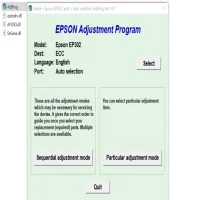
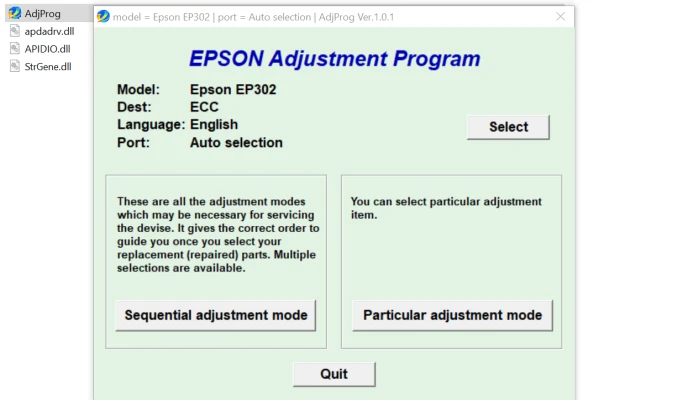
Run the Resetter Tool: Open the resetter software. It should automatically detect your printer model and display a button to reset the waste ink pad counter. In some cases, you may need to press a specific combination of keys on your printer to enter the reset mode.
Reset the Counter: Once the printer is in reset mode, click the “Reset” button in the software. The tool will reset the waste ink pad counter to zero, and your printer should be able to resume normal operations.
Check Printer Functionality: After the reset, restart your printer and test its functionality. It should no longer show the "Service Required" error and should resume printing as usual.
Caution and Safety Considerations
While resetting the waste ink counter is a relatively simple process, it’s important to exercise caution during the reset. Here are a few safety tips:
Waste Ink Pads Still Need Replacement: Resetting the counter does not address the issue of the waste ink pads filling up with ink. If you continue to use the printer without replacing the waste pads, you risk ink leakage and potential damage to the printer. It is recommended to replace the waste ink pads after multiple resets.
Use Trusted Sources: Be cautious when downloading the resetter tool. Downloading software from untrusted sources could expose your computer to malware or viruses. Always use reliable forums or official channels when downloading printer maintenance tools.
Consider Professional Maintenance: If you are not comfortable with the resetting process or if the printer shows signs of ink leakage, it is advisable to seek professional help. A technician can perform the necessary maintenance and ensure that your printer remains in good working condition.
Conclusion
The Epson EP-302 Resetter is a useful tool for clearing the waste ink pad counter and keeping your printer functioning, especially after it reaches the waste ink limit. While this reset allows you to continue printing, remember that the ink pads themselves may need replacement over time. Use the resetter with care, and don’t hesitate to seek professional help if needed to ensure your printer’s longevity.
Rate the App
User Reviews


Popular Apps








