
Latest Version
More About Epson EP-804A Adjustment Program
Epson EP-804A Adjustment Program: A Comprehensive Guide
The Epson EP-804A is a high-performing, multifunctional inkjet printer known for its reliability and advanced features. However, like many printers, it requires occasional maintenance to ensure consistent performance. One tool that aids in managing and optimizing the printer’s functionality is the Epson Adjustment Program. In this article, we’ll explore the purpose of the adjustment program, its features, and how it can help maintain the EP-804A.
What is the Epson EP-804A Adjustment Program?
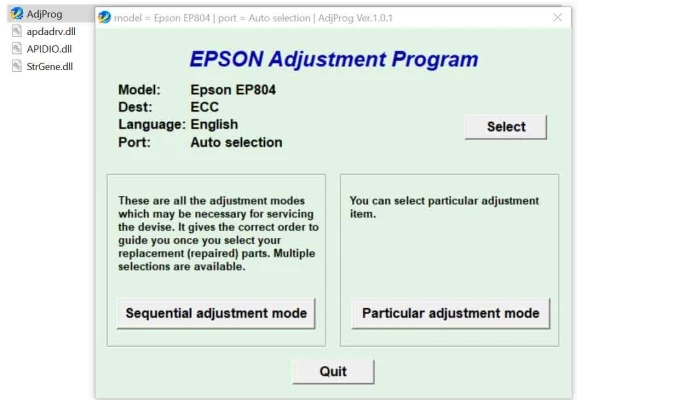
The Epson Adjustment Program is a specialized software tool designed for Epson printers. It enables users to perform advanced maintenance tasks, reset specific printer components, and troubleshoot issues that might not be solvable through standard printer settings. This program is particularly valuable for users of the Epson EP-804A, helping to extend the printer's life and improve print quality.
Key Features of the Adjustment Program
- Waste Ink Pad Counter ResetThe waste ink pads in the Epson EP-804A collect excess ink during cleaning cycles. Over time, the printer’s system flags these pads as full, rendering the printer non-operational until reset. The adjustment program allows users to reset the waste ink pad counter, making the printer functional again without immediate replacement.
- Print Head AlignmentMisaligned print heads can result in blurry or skewed prints. The adjustment program provides tools to realign the print head, ensuring optimal print quality.
- EEPROM InitializationThe program enables EEPROM (Electrically Erasable Programmable Read-Only Memory) initialization, resetting the printer’s internal memory to factory settings. This can resolve firmware-related issues.
- Nozzle Check and CleaningUsers can perform deep cleaning cycles and nozzle checks directly from the program, which is essential for maintaining consistent print quality.
Benefits of Using the Adjustment Program
- Cost-Effective MaintenanceThe program eliminates the need for frequent trips to a service center, saving users both time and money.
- User-Friendly InterfaceEven those with minimal technical knowledge can use the program, thanks to its intuitive design and clear instructions.
- Extended Printer LifespanRegular maintenance using the adjustment program can prevent major hardware failures and extend the life of the Epson EP-804A.
How to Use the Adjustment Program
Cautionary Notes
- Use Only When NecessaryWhile the adjustment program is a powerful tool, overuse or incorrect use can harm the printer. Only use it for specific maintenance tasks.
- Legal and Warranty ConcernsUsing third-party adjustment programs may void your printer’s warranty. Always check Epson’s official policies before proceeding.
- Backup Important DataIf you plan to perform EEPROM initialization or other resets, ensure you back up any essential printer settings.
Conclusion
The Epson EP-804A Adjustment Program is a valuable resource for maintaining the printer’s performance and resolving common issues. By leveraging its features responsibly, users can ensure the longevity of their printer while saving time and money. Whether you're a home user or rely on the EP-804A for professional tasks, this tool can be a game-changer in your printer maintenance routine.
Rate the App
User Reviews


Popular Apps








