
Latest Version
More About Epson EP-903A Adjustment Program
Epson EP-903A Adjustment Program: A Comprehensive Guide
The Epson EP-903A is a high-quality printer known for its efficient performance and versatile printing features. However, over time, like any printer, it may require maintenance to ensure it continues to operate smoothly. One of the critical tools in maintaining the Epson EP-903A is the Epson EP-903A Adjustment Program, a utility designed to help users reset and adjust various internal settings of the printer.
In this article, we'll explore what the Epson EP-903A Adjustment Program is, why it’s important, and how it can be used to extend the lifespan and enhance the performance of your printer.
What is the Epson EP-903A Adjustment Program?
The Epson EP-903A Adjustment Program is a specialized software tool developed by Epson for users who need to adjust their printer settings for proper functioning. It is primarily used for resetting the waste ink pad counter, cleaning the print head, and performing other maintenance tasks. The program can help troubleshoot issues that might not be resolved by the usual cleaning processes or software updates.
When a printer starts to show signs of ink-related problems, such as print quality degradation or an accumulation of ink waste, the Adjustment Program provides a more in-depth solution. This tool can also be used for resetting error messages related to ink pads and resetting the printer’s internal counters that track ink usage.
Why Do You Need the Adjustment Program?
Ink Pad Reset: The most common use of the Epson EP-903A Adjustment Program is resetting the waste ink pad counter. Waste ink pads are designed to collect excess ink during printing, but when they become saturated, the printer will stop working to prevent ink overflow. The Adjustment Program allows you to reset the counter after cleaning or replacing the ink pads, ensuring continued printing without errors.
Head Cleaning and Alignment: Over time, inkheads can become clogged, leading to print quality issues. The Epson Adjustment Program can perform deep head cleaning, removing clogs and ensuring optimal print quality. It can also align the print head for precise printing.
Error Resolutions: Printers often display error messages when internal settings are out of sync, such as when the waste ink pad is full. The Adjustment Program can resolve these errors by resetting internal counters.
Cost-Effective Maintenance: Using the Epson EP-903A Adjustment Program can be a cost-effective solution to maintain your printer. It allows you to fix issues without needing to call professional technicians or replace expensive parts.
How to Use the Epson EP-903A Adjustment Program
Before proceeding, ensure you have backed up any important data, as the adjustment process may require a system restart.
Download the Program: The first step is to download the Epson EP-903A Adjustment Program from a reliable source. Ensure you’re downloading it from a trusted site to avoid potential malware.
Install the Program: After downloading the software, follow the installation instructions provided. The installation process typically involves running an executable file and following the prompts. Make sure to disable any antivirus software temporarily to avoid interruptions during the installation.
Connect the Printer: Make sure the Epson EP-903A is connected to your computer and powered on. The program requires the printer to be in an idle state for effective communication.
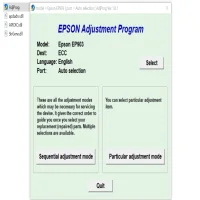
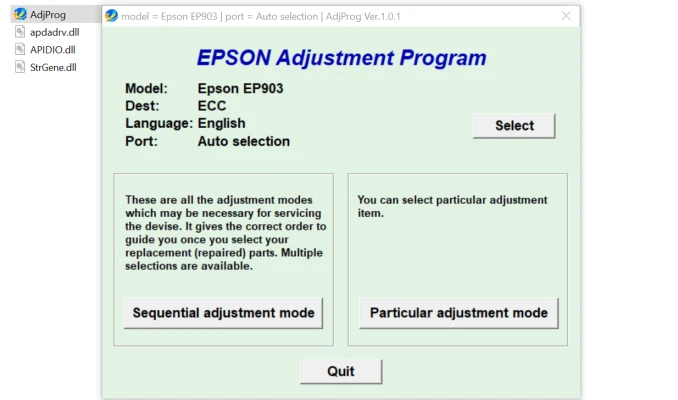
Launch the Program: Once installed, launch the Epson EP-903A Adjustment Program. You will be presented with a menu of available adjustments, including ink pad reset, head cleaning, and print head alignment.
Select the Necessary Function: Choose the function you need, such as "Waste Ink Pad Reset" or "Head Cleaning," depending on the issue you're facing.
Follow On-Screen Instructions: The program will provide you with step-by-step instructions to complete the adjustment process. Follow these carefully to ensure everything is done correctly.
Test the Printer: After completing the adjustment, perform a test print to check the printer's functionality and ensure the issue has been resolved.
Safety Precautions and Considerations
Use with Caution: The Epson EP-903A Adjustment Program is a powerful tool, but it should be used with caution. Improper use can cause irreversible damage to the printer, so only attempt adjustments if you are confident in the process.
Regular Maintenance: While the program can reset the ink pad counter, it's essential to perform regular maintenance, including replacing waste ink pads when necessary, to ensure long-term printer health.
Check Warranty Terms: If your Epson printer is still under warranty, using third-party software like the Adjustment Program could void your warranty. It’s best to consult the warranty terms before proceeding.
Conclusion
The Epson EP-903A Adjustment Program is an invaluable tool for maintaining your Epson printer. It can help reset error messages, clean the print head, and manage ink waste, extending the printer's life and improving print quality. By following the instructions carefully and using the tool responsibly, users can avoid costly repairs and enjoy optimal performance from their Epson EP-903A printer.
For those comfortable with basic troubleshooting and maintenance tasks, this adjustment program offers an efficient, DIY solution to common printer problems. Always ensure you are using the correct version of the program and proceed with caution to avoid any potential issues.
Rate the App
User Reviews


Popular Apps








