

Latest Version
More About Epson EP-906F Adjustment Program
Epson EP-906F Adjustment Program: A Complete Guide
The Epson EP-906F is a high-performance all-in-one printer known for its quality output and reliability. However, like many printers, prolonged use can lead to specific issues such as error messages, print quality degradation, or system malfunctions. This is where the Epson EP-906F Adjustment Program comes into play, offering a robust solution for maintaining and resetting the printer to optimal performance.
What is the Epson EP-906F Adjustment Program?
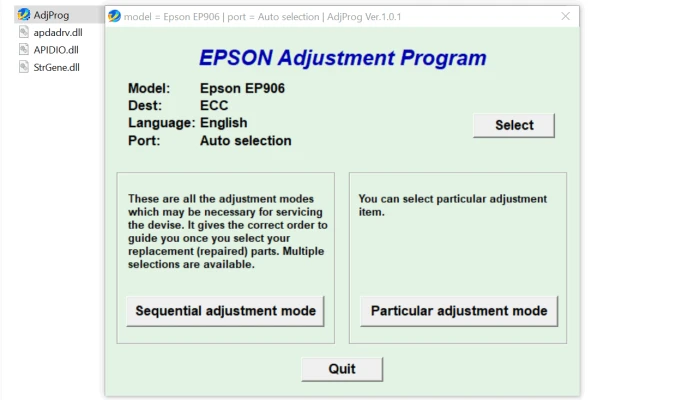
The Epson Adjustment Program is a specialized utility tool designed to address printer maintenance issues and reset specific internal settings. It is a software application that allows users to perform various adjustments on their Epson EP-906F, such as clearing waste ink counters, calibrating print heads, and resolving error codes.
Key Features of the Adjustment Program
- Reset Waste Ink Pad CounterThe program helps reset the waste ink pad counter, a common issue that causes the printer to stop working after extensive use. This prevents the need for costly repairs or replacements.
- Fix Error MessagesPersistent error codes like "Service Required" or "Ink Pad Full" can be resolved using this tool, restoring the printer to full functionality.
- Print Head AlignmentEnsure your prints are crisp and accurate by realigning the print head with the adjustment tool.
- EEPROM Settings AdjustmentModify advanced printer settings stored in the EEPROM (Electrically Erasable Programmable Read-Only Memory) to optimize performance.
- Nozzle Check and CleaningRun diagnostic tests like nozzle checks and initiate deep cleaning cycles to improve print quality.
When to Use the Epson EP-906F Adjustment Program
- When your printer displays persistent error codes.
- After replacing or cleaning the waste ink pad.
- If print quality issues persist despite regular maintenance.
- To adjust settings after significant firmware updates or hardware changes.
How to Use the Epson EP-906F Adjustment Program
- Download the SoftwareObtain the official Adjustment Program from a trusted source. Be cautious of unauthorized or unofficial versions that may pose security risks.
- Install the ProgramInstall the software on your computer. Ensure your system meets the minimum requirements and that the printer is connected.
- Run the Adjustment ToolLaunch the program, and select the Epson EP-906F model. Navigate through the menu to choose the required function, such as resetting the waste ink counter or performing a nozzle check.
- Follow On-Screen InstructionsEach adjustment comes with specific steps displayed on-screen. Follow these instructions carefully to avoid errors.
- Restart the PrinterAfter completing the adjustments, restart the printer to apply the changes.
Important Precautions
- Always use the adjustment program responsibly and only when necessary.
- Back up your printer’s settings before making changes to avoid accidental misconfiguration.
- Be aware that unauthorized adjustments may void your printer’s warranty.
Final Thoughts
The Epson EP-906F Adjustment Program is a powerful tool for maintaining your printer and ensuring it delivers consistent performance. By understanding its features and using it effectively, you can extend the life of your printer and save on maintenance costs.
If you're encountering persistent printer issues, consider trying the Epson EP-906F Adjustment Program as a reliable solution to restore optimal functionality.
Rate the App
User Reviews


Popular Apps








