
Latest Version
More About Epson EP703A Adjustment Program
Epson EP703A Adjustment Program: A Comprehensive Guide to Printer Calibration and Maintenance
Printers have become an essential tool in homes and offices alike, with Epson standing out as one of the most reliable brands on the market. Among its lineup, the Epson EP703A model is widely recognized for its exceptional printing capabilities. However, like any other printer, the EP703A may occasionally require calibration or troubleshooting to maintain peak performance. This is where the Epson EP703A Adjustment Program comes into play.
What is the Epson EP703A Adjustment Program?
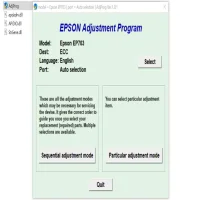
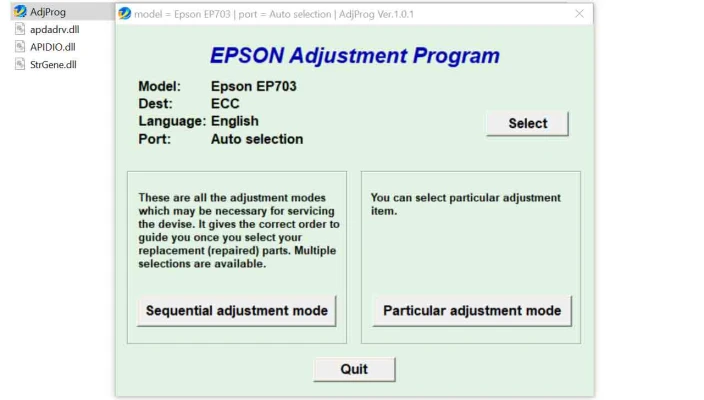
The Epson EP703A Adjustment Program is a specialized software utility designed to fine-tune and troubleshoot the printer's internal settings. It is primarily used by technicians and advanced users to address various operational issues, such as alignment problems, ink counter reset needs, or error code corrections.
Unlike standard drivers, this program offers access to the printer's firmware-level settings, allowing users to make adjustments beyond what is possible through conventional menus.
Key Features of the Adjustment Program
- Ink Pad Counter Reset:Every Epson printer comes with a predefined ink pad life limit. Once this limit is reached, the printer displays a "Service Required" error message and ceases operation. The adjustment program allows you to reset the ink pad counter, restoring functionality without the need for immediate physical servicing.
- Head Alignment and Cleaning:Misaligned print heads can result in blurry or streaky prints. The adjustment program provides advanced tools for recalibrating the print head to ensure crisp, clear output.
- EEPROM Management:The program enables users to access the printer's EEPROM (Electrically Erasable Programmable Read-Only Memory) settings. This feature can be crucial for diagnosing and resolving deep-seated issues that are not easily detectable through regular diagnostic methods.
- Error Code Diagnostics:When an error code appears, the program can provide detailed insights into its cause and suggest actionable solutions, saving time and resources.
- Nozzle Check:Over time, nozzles may become clogged, leading to uneven prints. The adjustment program includes a nozzle check feature to assess print quality and initiate necessary maintenance routines.
When Should You Use the Adjustment Program?
The Epson EP703A Adjustment Program is not a tool for everyday use. It is typically employed in the following scenarios:
- The printer displays persistent error messages, such as "Waste Ink Pad Full."
- Print quality has declined significantly, even after performing routine cleaning cycles.
- You need to recalibrate the printer after hardware adjustments or part replacements.
- Diagnostic tests reveal firmware or alignment issues.
Precautions Before Using the Adjustment Program
- Backup Important Data: Always backup printer settings before making any changes, as incorrect adjustments can lead to further complications.
- Use Genuine Software: Ensure you download the adjustment program from a trusted source to avoid malware or counterfeit versions.
- Follow Instructions Carefully: Improper use of the software can void your printer's warranty or cause irreversible damage.
Step-by-Step Guide to Using the Adjustment Program
- Download the Program: Obtain the Epson EP703A Adjustment Program from a reputable source and install it on your computer.
- Connect the Printer: Connect your Epson EP703A printer to the computer using a USB cable. Ensure the printer is powered on and recognized by the system.
- Launch the Software: Open the adjustment program and select your printer model from the drop-down menu.
- Select the Desired Function: Choose the specific adjustment or maintenance task you wish to perform, such as resetting the ink counter or head alignment.
- Follow On-Screen Instructions: Carefully follow the prompts to complete the process. Avoid interrupting the operation to prevent errors.
- Restart the Printer: Once the task is completed, restart the printer to apply the changes.
Legal and Ethical Considerations
While the Epson EP703A Adjustment Program is a powerful tool, it should be used responsibly. Manufacturers typically discourage the use of such programs by non-authorized personnel. Moreover, resetting the ink pad counter without replacing the physical pad may lead to ink overflow, potentially damaging the printer. Always ensure that maintenance is carried out in compliance with Epson's guidelines and policies.
Conclusion
The Epson EP703A Adjustment Program is an indispensable tool for maintaining and troubleshooting your printer. By providing advanced functionality and access to internal settings, it empowers users to extend the printer's lifespan and optimize its performance. However, it is essential to approach this tool with caution, following best practices to ensure safe and effective use.
With the right knowledge and care, the adjustment program can be a valuable asset for both professional technicians and DIY enthusiasts.
Rate the App
User Reviews


Popular Apps








