

Latest Version
January 02, 2025
Artisan Series
Windows
56
Report a Problem
More About Epson Artisan 1430 Adjustment Program
What is the Epson Artisan 1430 Adjustment Program?
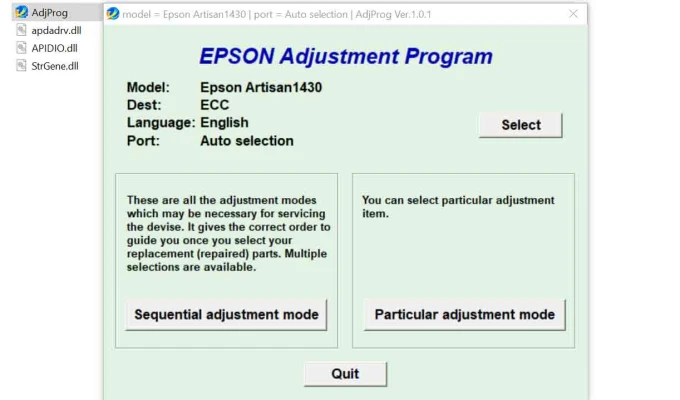
The Epson Artisan 1430 Adjustment Program is a specialized utility software designed for troubleshooting and maintaining Epson printers. It allows users to perform advanced maintenance tasks, such as:
Resetting the waste ink pad counter.
Aligning the print head.
Cleaning and calibrating various internal components.
Diagnosing error codes and fixing them.
This program is particularly useful for resolving common printer issues that might otherwise require professional servicing.
Key Features of the Adjustment Program
Waste Ink Pad Counter Reset
Epson printers have a built-in counter that tracks the amount of ink absorbed by the waste ink pads. Once the counter reaches its limit, the printer may stop working. The adjustment program allows you to reset this counter, extending the printer’s operational life.
Print Head Alignment
Misaligned print heads can result in poor-quality prints. The program helps realign the print heads for optimal performance.
EEPROM Data Reset
This feature resets the printer’s internal memory, resolving certain persistent errors.
Ink Charge Utility
Useful for priming new ink cartridges or unclogging print heads by forcing ink through the nozzles.
How to Use the Epson Artisan 1430 Adjustment Program
Using the adjustment program requires a step-by-step approach. Follow these guidelines:
Download the Software
Obtain the adjustment program from a trusted source. Be cautious of unofficial sites that may provide malware-laden downloads.
Install and Launch
Install the program on a Windows computer (the software is typically not available for macOS). Launch the application.
Connect Your Printer
Ensure your Epson Artisan 1430 is connected to the computer via USB.
Select Your Printer Model
In the program’s interface, select the Epson Artisan 1430 as the target device.
Perform Maintenance Tasks
Choose the desired maintenance operation (e.g., reset waste ink pad counter) and follow the on-screen instructions.
Restart the Printer
After completing the task, restart your printer to apply the changes.
Precautions and Best Practices
Backup EEPROM Data: Before making any changes, back up your printer’s EEPROM data to avoid accidental data loss.
Use Genuine Software: Always use authentic Epson software to prevent compatibility or security issues.
Monitor Waste Ink Pads: Resetting the waste ink counter does not physically clean the waste ink pads. Replace them if they are saturated to avoid ink overflow.
Legal Compliance: Some jurisdictions may have restrictions on using third-party software for printer maintenance. Ensure compliance with local regulations.
Conclusion
The Epson Artisan 1430 Adjustment Program is an invaluable tool for keeping your printer in excellent working condition. By understanding its features and following best practices, you can resolve many common printer issues efficiently and extend the lifespan of your device. Always proceed with caution and prioritize using genuine software to ensure optimal results.
Rate the App
User Reviews


Popular Apps








