
Latest Version
Download NowMore About Epson L101 Reset Utility Adjustment Program
Epson L101 Reset Utility Adjustment Program: A Comprehensive Guide
The Epson L101 printer is an efficient and budget-friendly solution for home and small office printing needs. However, like many inkjet printers, it may occasionally encounter errors or issues that require resetting the system. One effective method of restoring the printer's functionality is through the Epson L101 Reset Utility Adjustment Program.
This program is specifically designed to help users resolve common printer problems, including issues with waste ink counters, print head misalignments, and printer performance. Below is a comprehensive guide to understanding and using the Epson L101 Reset Utility Adjustment Program effectively.
What is the Epson L101 Reset Utility Adjustment Program?
The Epson L101 Reset Utility Adjustment Program is a software tool that allows users to perform a series of maintenance and reset functions on the printer. It is particularly useful when the printer encounters problems such as the “waste ink pad overflow” or when the printer stops working due to accumulated print head maintenance counts.
The program is not provided directly by Epson to the public but can be found through third-party sites. These reset programs work by resetting counters and adjusting settings that might have caused the printer to malfunction.
Key Features of the Epson L101 Reset Utility Adjustment Program
-
Resetting Ink Pad Counter: One of the primary functions of this program is to reset the ink pad counter. As the printer is used, the waste ink pads gradually accumulate ink, and once the counter hits a certain threshold, the printer will display an error message. The reset utility allows you to clear this counter, making the printer operational again.
-
Print Head Alignment: The adjustment program can be used to realign the print head, ensuring that your printouts are crisp and clear. Misalignment of the print head is a common problem that affects print quality.
-
Cleaning and Maintenance: The program provides an option to clean the print head and perform other maintenance tasks that can help restore printer performance.
-
Resetting Epson L101 Settings: The program enables you to reset the printer to its default factory settings, which is helpful if you have misconfigured settings or need to troubleshoot persistent issues.
-
Other Adjustments: The utility can also be used to make various adjustments related to the printer’s operational parameters, including ink usage, speed, and quality.
How to Use the Epson L101 Reset Utility Adjustment Program
Using the Epson L101 Reset Utility Adjustment Program is relatively simple, but it is important to follow the instructions carefully to avoid damaging the printer or voiding the warranty. Below are the steps involved:
-
Download the Reset Utility: First, you need to download the reset utility program for Epson L101. Ensure you download it from a trusted website or platform to avoid malicious software.
-
Install the Utility: Once downloaded, run the installation file and follow the on-screen instructions to install the program on your computer.
-
Connect the Printer: Connect your Epson L101 printer to your computer using a USB cable. Ensure the printer is powered on and ready to receive commands.
-
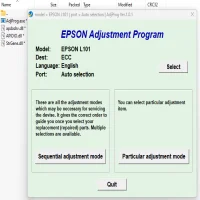
Launch the Utility Program: After installation, open the Epson L101 Reset Utility Adjustment Program. The program will recognize the connected printer.
-
Select the Function to Reset: The program will present you with various options for resetting the printer, including ink pad counter reset, print head alignment, and head cleaning. Select the function that best addresses the issue you are facing.
-
Follow On-Screen Instructions: The program will guide you through the necessary steps for resetting the printer. Follow the prompts carefully, and the utility will complete the reset process.
-
Test the Printer: After the reset, print a test page to verify that the printer is working correctly and that the issue has been resolved.
Precautions When Using the Epson L101 Reset Utility Adjustment Program
-
Backup Printer Settings: Before using the reset utility, it is a good idea to back up your printer settings, especially if you’ve customized them.
-
Use Caution: The reset utility is a powerful tool, and incorrect usage could potentially damage your printer. Only use the program if you are confident in following the instructions properly.
-
Warranty Considerations: Be aware that using third-party software might void your warranty, so always consult with Epson support if you have any concerns.
Troubleshooting Common Issues
-
Error During Reset Process: If the reset utility fails to reset the printer, try restarting your computer and printer and running the program again. Make sure that the printer is connected properly.
-
Printer Still Not Functioning: If the printer is still not working after using the reset utility, it may require professional servicing or additional troubleshooting.
Conclusion
The Epson L101 Reset Utility Adjustment Program is an invaluable tool for maintaining your Epson printer and ensuring its longevity. It can save you time and money by enabling you to fix common problems on your own without the need for professional intervention. However, it is important to use the program with caution and follow the instructions carefully to avoid any unintended consequences. With proper use, the Epson L101 Reset Utility Adjustment Program can help restore your printer to optimal performance and extend its lifespan.
Rate the App
User Reviews





Popular Apps








