
Latest Version
Download NowMore About Epson L811 Adjustment Program ( Resetter )
Epson L811 Adjustment Program (Resetter): A Comprehensive Guide
The Epson L811 is a versatile inkjet printer designed for high-quality photo printing. It is especially favored by photography professionals and enthusiasts for its impressive color accuracy and efficiency. However, like all printers, the Epson L811 can encounter problems due to overuse or faulty printer settings. One common issue that many users face is the printer’s waste ink pads reaching their limit. When this happens, the printer displays an error message and stops printing until the waste ink pads are reset.
This is where the Epson L811 Adjustment Program, also known as a Resetter, comes into play. This software utility allows users to reset the printer's waste ink pad counter and restore its functionality. In this article, we will take a closer look at the Epson L811 Adjustment Program, its functionality, and how you can use it safely and effectively.
What is the Epson L811 Adjustment Program?
The Epson L811 Adjustment Program is a tool specifically designed to fix issues caused by the printer’s waste ink pads. These pads collect excess ink during the printing process, preventing ink from leaking inside the printer. However, these pads can eventually become saturated, leading to the error message that halts printing.
The Adjustment Program allows users to reset the printer’s internal waste ink pad counter, which is essentially a safeguard to let you know when it’s time to replace the pads. Once the counter is reset, the printer resumes normal functionality without requiring physical replacement of the pads.
Why You Need the Epson L811 Adjustment Program
While most users will never encounter a situation where the waste ink pads fill up to capacity, those who print frequently or use their printer for commercial purposes may run into this issue. The Adjustment Program becomes indispensable in such scenarios.
Here are a few reasons why the Epson L811 Adjustment Program is a useful tool:
- Reset Waste Ink Counter: The primary function of the Adjustment Program is to reset the waste ink counter, allowing the printer to continue working without the need to replace the ink pads prematurely.
- Cost-effective: By resetting the waste ink counter instead of replacing the ink pads, users can save money and extend the printer’s life.
- Convenience: The program is easy to use, making it a convenient solution for users who don’t want to take their printer to a service center.
How to Use the Epson L811 Adjustment Program
Using the Epson L811 Adjustment Program is relatively straightforward. Below are the general steps to follow to reset your Epson printer:
Step 1: Download the Adjustment Program
To begin, download the Epson L811 Adjustment Program (resetter) from a reliable source. It is important to avoid downloading the software from untrustworthy websites, as these may contain malware or harmful files. Typically, the software is available as a ZIP file, so you will need to extract it before proceeding.
Step 2: Install the Program
Once the file is extracted, run the installer. You may need to disable any antivirus software temporarily, as some security programs may flag the Adjustment Program as suspicious. After the installation, you will find the program’s shortcut on your desktop or in the program list.
Step 3: Run the Program
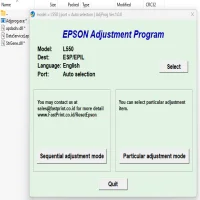
Open the Adjustment Program. You will be asked to select your printer model, so make sure you choose Epson L811 from the list of available printers.
Step 4: Select the Reset Waste Ink Counter Option
Once the program recognizes your printer, select the "Waste Ink Pad Counter" option from the menu. This will allow you to reset the ink pad counter, which is the main function of the tool.
Step 5: Perform the Reset
Click on the "Initialization" button to reset the waste ink counter. The program will process the command, and within a few moments, your printer’s waste ink counter will be reset to zero.
Step 6: Test the Printer
After resetting the waste ink counter, run a test print to ensure the printer is functioning properly. If everything works as expected, the adjustment process is complete.
Important Considerations
While the Epson L811 Adjustment Program is a handy tool for resolving waste ink pad issues, there are some important things to keep in mind:
- Use the Tool Cautiously: Overusing the Adjustment Program or resetting the waste ink counter too frequently can lead to internal damage in the printer, especially if the ink pads are heavily saturated. It is advisable to use the tool only when necessary.
- Physical Ink Pad Replacement: The Adjustment Program only resets the ink counter, not the actual waste ink pads. If your printer continues to experience issues or displays persistent errors, it might be necessary to replace the waste ink pads.
- Warranty Implications: Using third-party software like the Epson L811 Adjustment Program may void your printer’s warranty. Always check the warranty terms before using non-official solutions.
Conclusion
The Epson L811 Adjustment Program is a powerful tool that helps users manage waste ink pad issues and extend the life of their printer. By resetting the waste ink counter, you can continue printing without unnecessary downtime or cost. However, it is essential to use the tool responsibly, keeping in mind that resetting the counter frequently without addressing the underlying issues could cause long-term damage.
If you are unsure about performing the reset yourself, it is always advisable to consult a professional technician or Epson service center. However, with proper use, the Epson L811 Adjustment Program can be a valuable asset in maintaining your printer's performance and ensuring consistent, high-quality prints.
Rate the App
User Reviews





Popular Apps








