
Latest Version
More About Epson L200 Adjustment Program ( Resetter )
Epson L200 Adjustment Program (Resetter): A Comprehensive Guide
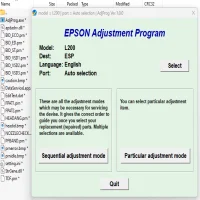
The Epson L200 printer is a reliable and efficient all-in-one inkjet printer known for its cost-effective printing and refillable ink tank system. However, like any other printer, it can encounter technical issues over time, such as ink pad errors, waste ink counter overflow, or print quality degradation. To address these problems, Epson provides a specialized tool known as the Epson L200 Adjustment Program (Resetter).
What is the Epson L200 Adjustment Program?
The Epson L200 Adjustment Program is a utility software designed specifically to reset the printer's internal waste ink counter, clear error messages, and restore it to optimal working condition. When a printer's waste ink pad counter reaches its predefined limit, the printer stops functioning and displays an error message like "Service Required." The resetter tool allows users to bypass this issue without needing professional assistance.
Key Features of the Epson L200 Adjustment Program
- Waste Ink Counter Reset: Clears the waste ink counter, allowing the printer to resume normal operation.
- EEPROM Reset: Restores factory settings and fixes EEPROM-related errors.
- Head Cleaning Function: Helps clean the printer head to improve print quality.
- Initialization: Re-initializes the printer for optimal performance.
- Ink Charge Function: Manages ink flow for smooth printing operations.
When Should You Use the Adjustment Program?
- When you see the "Waste Ink Pad Counter Overflow" error.
- When the printer stops printing despite having sufficient ink.
- When print quality is significantly degraded.
- When the printer fails to recognize ink levels accurately.
Steps to Use the Epson L200 Adjustment Program
- Download the Tool: Obtain the Epson L200 Adjustment Program from a trusted source.
- Run the Program: Open the executable file on your computer.
- Select Printer Model: Choose 'Epson L200' from the dropdown menu.
- Select the Function: Choose the desired operation, such as "Waste Ink Pad Counter Reset."
- Follow On-Screen Instructions: Complete the reset process.
- Restart the Printer: Turn off and restart the printer to finalize the reset.
Precautions to Take
- Ensure the printer is connected properly to your computer.
- Disable antivirus software temporarily, as it might block the adjustment tool.
- Use the software only when necessary to avoid permanent damage to the printer.
- Always download the tool from reliable sources to prevent malware risks.
Conclusion
The Epson L200 Adjustment Program is a valuable tool for resolving common printer errors and extending the lifespan of your device. While it offers an efficient solution, users must exercise caution and follow proper guidelines during the reset process. With the right approach, you can save time and money by handling these issues independently.
Rate the App
User Reviews





Popular Apps








