
Latest Version
More About Epson L510 Adjustment Program ( Resetter )
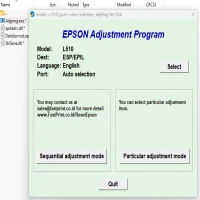
Epson L510 Adjustment Program (Resetter): A Comprehensive Guide
The Epson L510 is a popular ink tank printer known for its cost-efficiency and high-quality prints, especially in homes and small offices. However, like many printers, it requires periodic maintenance to continue functioning optimally. One of the most common maintenance tasks is using the Epson L510 Adjustment Program, also referred to as a "resetter." This tool is crucial for resetting specific printer counters, including the waste ink pad counter and the ink absorption unit counter, which can prevent potential printer errors and ensure continued smooth operation.
In this article, we’ll delve into what the Epson L510 Adjustment Program is, how it works, and why it is essential for your printer’s longevity.
What Is the Epson L510 Adjustment Program?
The Epson L510 Adjustment Program (or Resetter) is a software utility designed specifically for resetting the Epson L510 printer. It works by adjusting various counters and settings within the printer that track usage, particularly the ink waste pad counter. Over time, these counters can reach their limits, triggering warning messages or errors that prevent the printer from working.
The adjustment program provides a way to reset these counters, effectively "clearing" the warnings and allowing the printer to continue functioning. It also aids in resetting other settings that can be modified during printer maintenance, such as print head alignment and nozzle checks.
Why Do You Need the Epson L510 Adjustment Program?
Your Epson L510 printer may display the following common errors that indicate the need for the adjustment program:
-
Waste Ink Pad Overflow Error: The printer will alert you when the waste ink pad is full, which can happen after long-term usage. If this issue is left unresolved, the printer may stop functioning until it is reset.
-
General Reset of Printer Settings: Over time, your printer may experience issues with its print head or other internal components. The adjustment program helps reset various aspects of the printer to factory settings, allowing it to run optimally again.
-
Maintenance: To maintain the printer’s performance, you may need to run certain maintenance tasks such as resetting the ink pad counters or recalibrating print head settings. The Epson L510 Adjustment Program makes these tasks much easier.
How Does the Epson L510 Adjustment Program Work?
The Adjustment Program works by accessing specific internal settings of your Epson L510 printer through a connected computer. Once the program is run, it can reset various internal counters related to ink usage and print quality. Here’s a general step-by-step guide on how to use the program:
-
Download the Epson L510 Adjustment Program: Ensure you download the program from a reliable source. Make sure that the version is compatible with your operating system and the model of your printer.
-
Install the Program on Your PC: After downloading, install the software on your computer. Be sure to disable any antivirus software during installation as some security programs may flag the resetter as a potential threat.
-
Connect the Printer to the Computer: Using a USB cable, connect the Epson L510 printer to the computer where the adjustment program has been installed.
-
Launch the Adjustment Program: Open the program and select your printer model (Epson L510) from the available list of devices.
-
Select the Reset Option: Navigate to the “Waste Ink Pad Counter” section in the program. This is where you can reset the counters for the waste ink pad.
-
Execute the Reset: Click on the reset button to clear the waste ink pad counter or any other necessary counters. The printer may need to restart to complete the reset process.
-
Test the Printer: After resetting, perform a test print to ensure that the printer is working correctly and that any error codes are resolved.
Caution: Use the Program Carefully
While the Epson L510 Adjustment Program can be a very useful tool for maintaining your printer, it must be used with caution. Improper use or resetting certain counters in the wrong way can lead to further issues with your printer.
-
Waste Ink Pad: Do not use the adjustment program too frequently. Resetting the waste ink pad counter without actually replacing or cleaning the waste ink pad can cause ink overflow, which may damage the printer or cause leaks.
-
Legal Concerns: Some manufacturers may void warranties if the adjustment program is used improperly. Always check your warranty terms before using a resetter.
-
Backup Your Settings: Before making any changes, it’s a good idea to backup any important printer settings or configurations you have customized, as they might be reset during the process.
Conclusion
The Epson L510 Adjustment Program (Resetter) is an invaluable tool for maintaining the printer’s functionality and performance. By resetting the waste ink pad counter and other essential settings, you can prevent the printer from malfunctioning due to overflow errors and ensure it continues to print at its best. However, the program should be used with care and responsibility to avoid potential issues.
If you're experiencing persistent issues with your Epson L510 printer or need regular maintenance, consider using this resetter tool as part of your printer care routine. Always ensure you are downloading the software from a trusted source and following all necessary instructions to safeguard your printer’s longevity.
Rate the App
User Reviews





Popular Apps








