


Latest Version
Download NowMore About Epson Stylus DX4850 Adjustment Program
Epson Stylus DX4850 Adjustment Program: A Comprehensive Guide
The Epson Stylus DX4850 is a popular all-in-one printer designed for home and small office use. While it offers reliable printing, scanning, and copying features, like any other printer, it may occasionally face issues that require calibration or adjustment. This is where the Epson Stylus DX4850 Adjustment Program comes into play. The program is a powerful tool designed to help users fix various printer-related issues, from waste ink problems to print quality issues.
What is the Epson Stylus DX4850 Adjustment Program?
The Epson Stylus DX4850 Adjustment Program is a software tool that allows users to perform maintenance and adjustments on their Epson printers. It is primarily used to reset the internal counters of the printer, especially those associated with the waste ink pad. Over time, these pads collect excess ink during printing, and if they become full, the printer may display an error message or stop functioning until it is reset.
The program helps reset the printer’s waste ink counter, perform head cleaning, align the print head, and manage ink cartridge settings, among other functions. It's an essential tool for keeping the Epson Stylus DX4850 running efficiently without requiring professional assistance.
Key Features of the Epson Stylus DX4850 Adjustment Program
-
Waste Ink Reset: The most common use for the adjustment program is resetting the waste ink counter, which can prevent the printer from shutting down prematurely due to a full waste ink pad.
-
Print Head Cleaning: It allows for deep cleaning of the print head to eliminate clogs and improve print quality. This is especially useful for printers that haven’t been used for a while.
-
Print Head Alignment: Ensuring the print head is aligned correctly can prevent issues like blurry or misaligned prints. The adjustment program provides a step-by-step guide to realign the print head.
-
Ink Cartridge Settings: The program allows for resetting or checking ink cartridge counters, especially useful when using third-party cartridges.
-
Printer Information: The adjustment program can retrieve details about the printer’s status, including the ink levels, error codes, and other diagnostic information.
How to Use the Epson Stylus DX4850 Adjustment Program
Using the Epson Stylus DX4850 Adjustment Program requires downloading the software and following a few simple steps. Here’s a step-by-step guide:
-
Download the Program:
- You can find the adjustment program from various third-party websites, but it’s crucial to ensure you're downloading from a reliable source to avoid malware. Always check for user reviews or trusted platforms.
-
Install the Program:
- After downloading the program, run the installation file and follow the on-screen instructions. The installation process is straightforward, but make sure your printer is connected to your computer before proceeding.
-
Launch the Adjustment Program:
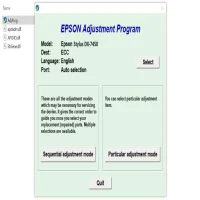
- Once installed, open the program. The interface will display various options for performing adjustments. You will need to select your printer model (Epson Stylus DX4850) from the dropdown list.
-
Select the Desired Function:
- For instance, if you want to reset the waste ink counter, choose the "Waste Ink Pad Counter Reset" option. If you need to clean the print head, choose "Head Cleaning".
-
Perform the Adjustment:
- Follow the on-screen instructions for the specific adjustment you want to make. The program will guide you through the necessary steps to complete the task.
-
Test the Printer:
- After performing the adjustment, it’s recommended to test the printer. Print a test page to ensure the print quality is up to standard and that there are no errors.
Precautions and Warnings
While the Epson Stylus DX4850 Adjustment Program is an excellent tool, it’s essential to take a few precautions:
-
Risk of Malfunctions: If not used properly, the program may cause malfunctions. Always follow the on-screen instructions carefully.
-
Backing Up Settings: Before making adjustments, it’s a good idea to back up your printer settings to avoid any unwanted changes.
-
Waste Ink Pads: The adjustment program resets the waste ink counter, but it does not physically clean the waste ink pads. If the pads are full, it’s advisable to replace them or consult a professional.
Conclusion
The Epson Stylus DX4850 Adjustment Program is an invaluable tool for maintaining and troubleshooting your printer. It allows users to handle routine maintenance tasks such as waste ink resetting, print head cleaning, and alignment without professional help. While it is easy to use, it’s important to take the necessary precautions to avoid further damage to the printer. By using the program regularly, you can extend the life of your Epson Stylus DX4850 and ensure high-quality prints every time.
Rate the App
User Reviews


Popular Apps








