


Latest Version
More About Epson Stylus CX1390 Adjustment Program
Epson Stylus CX1390 Adjustment Program: A Complete Guide
The Epson Stylus CX1390 is a versatile all-in-one inkjet printer that has earned its place among popular choices for home offices and personal use. However, like any printer, the Epson Stylus CX1390 may require periodic maintenance to ensure it runs smoothly and continues to produce high-quality prints. One of the essential tools in maintaining the printer's optimal performance is the Epson Stylus CX1390 Adjustment Program.
The Epson Adjustment Program is a software utility that helps users fix various printer issues by resetting and adjusting internal counters, cleaning print heads, and more. Whether you are experiencing printing problems, error messages, or simply want to ensure your printer remains in top shape, this program can help.
What is the Epson Stylus CX1390 Adjustment Program?
The Epson Stylus CX1390 Adjustment Program is a diagnostic and maintenance tool designed to reset specific functions and settings in the printer. It is primarily used to:
-
Reset Waste Ink Pad Counter: The printer keeps track of the amount of ink that is absorbed by the waste ink pads. When these pads reach their limit, the printer may display an error message or stop working. The adjustment program can reset this counter, allowing you to continue printing.
-
Head Cleaning and Ink Flow Adjustment: Over time, ink may clog the print heads, affecting print quality. The adjustment program can perform head cleaning to ensure smooth ink flow, improving print performance.
-
Resetting Ink Levels: The program allows you to reset the ink cartridge counters. This is useful if the printer falsely reports that the ink is empty, preventing further printing.
-
Printer Maintenance and Calibration: It can help fine-tune print quality and calibrate the printer's settings for optimal results.
How to Use the Epson Stylus CX1390 Adjustment Program?
Using the Epson Stylus CX1390 Adjustment Program involves a few straightforward steps. Here’s how you can do it:
-
Download the Adjustment Program: First, you need to download the correct version of the Epson Stylus CX1390 Adjustment Program from a trusted source. Be cautious, as some websites may offer unsafe or pirated versions. Ensure you are downloading from a reputable platform.
-
Install the Software: Once downloaded, install the program by following the on-screen instructions. Be sure that the printer is connected to your computer and powered on before proceeding with the installation.
-
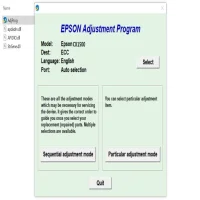
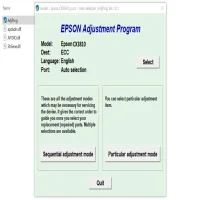
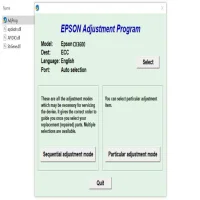
Run the Adjustment Program: Launch the Epson Stylus CX1390 Adjustment Program from the start menu or desktop shortcut. You will be presented with a menu offering various adjustment options, such as “Waste Ink Pad Reset” and “Head Cleaning.”
-
Select the Required Function: Depending on your issue, select the appropriate function. For example, if you need to reset the waste ink pad counter, select the corresponding option. Follow the on-screen prompts to complete the process.
-
Confirm the Reset: After completing the reset or adjustment, the program will ask you to confirm the changes. Once confirmed, the process will be completed, and your printer will be restored to its previous state.
-
Test Your Printer: After performing the necessary adjustments, run a test print to ensure that everything is working correctly. If issues persist, you may need to perform additional steps like head cleaning or calibration.
Precautions to Take When Using the Epson Stylus CX1390 Adjustment Program
While the Epson Stylus CX1390 Adjustment Program is an excellent tool for printer maintenance, it is essential to take some precautions to avoid damaging the printer:
-
Backup Printer Settings: Before making adjustments, it's a good idea to backup your printer settings, especially if you are not familiar with the software.
-
Ensure Proper Ink Levels: Always ensure that your ink cartridges have adequate ink before running cleaning or calibration tasks.
-
Be Careful with Waste Ink Pad Reset: Resetting the waste ink pad counter should only be done when you are sure the waste ink pads are not full. Failing to do so may cause ink overflow and potentially damage the printer.
-
Use the Program Sparingly: Frequent use of the Adjustment Program could lead to unnecessary wear and tear on the printer. Use it only when needed.
Common Issues Solved by the Adjustment Program
The Epson Stylus CX1390 Adjustment Program is known for resolving several common printer issues, including:
-
Error Messages Related to Ink Pads: If the printer displays an error indicating that the waste ink pads are full, the adjustment program can reset this counter, clearing the error message.
-
Poor Print Quality: Ink clogging and poor print quality can be remedied by using the program's head cleaning feature, ensuring smooth ink flow and better printing performance.
-
Ink Level Reporting Issues: If the printer erroneously reports empty ink cartridges, resetting the ink levels using the adjustment program can fix this problem, allowing you to continue printing without issues.
-
Printer Calibration: For users who experience issues with alignment, color accuracy, or general print quality, the adjustment program can help recalibrate the printer settings.
Conclusion
The Epson Stylus CX1390 Adjustment Program is a powerful tool for anyone looking to maintain or troubleshoot their printer. With its ability to reset error counters, clean print heads, and adjust ink levels, it ensures that your printer runs efficiently and produces high-quality prints. However, it’s essential to use this program responsibly, as improper adjustments can lead to more serious issues. By following the right steps and taking necessary precautions, the Epson Stylus CX1390 Adjustment Program can significantly extend the lifespan of your printer and keep it in top condition.
Rate the App
User Reviews







Popular Apps








