


Latest Version
Download NowMore About Epson Stylus CX2800 Adjustment Program
Epson Stylus CX2800 Adjustment Program: A Comprehensive Guide
The Epson Stylus CX2800, a versatile all-in-one inkjet printer, is widely appreciated for its affordability and efficiency, particularly in home and small office environments. However, like many printers, users might encounter common issues over time, such as the "Service Required" error or problems with ink absorption and print quality. When these problems arise, an essential tool for troubleshooting is the Epson Stylus CX2800 Adjustment Program.
In this guide, we'll walk you through the importance of the Epson Stylus CX2800 Adjustment Program, its functionality, and how to use it effectively to solve common printer issues.
What is the Epson Stylus CX2800 Adjustment Program?
The Adjustment Program for the Epson Stylus CX2800 is a specialized software developed by Epson to help users perform various maintenance tasks and reset specific printer counters. It can be particularly helpful in dealing with issues such as ink pad errors, print head alignment, and reset functions that are often needed when your printer starts showing performance problems.
Key Features of the Epson Stylus CX2800 Adjustment Program:
-
Ink Pad Reset: Over time, your printer's ink pads, which collect excess ink, can become saturated. This leads to error messages like "Service Required." The Adjustment Program helps reset the ink pad counter, allowing the printer to function without errors.
-
Print Head Alignment: Poor print quality, such as misalignment of colors, streaks, or blurry prints, can often be fixed with a proper print head alignment. The Adjustment Program allows you to perform this task easily.
-
Cleaning Functions: Regular maintenance of the print heads and cleaning of internal components ensures optimal print quality. The Adjustment Program provides tools to clean the print heads and other internal parts.
-
Reset Counters: The software also allows you to reset various internal counters, such as the page counter, ink usage counters, and waste ink counters. This can improve the printer's efficiency and extend its lifespan.
How to Download and Use the Epson Stylus CX2800 Adjustment Program:
Step 1: Download the Program
The Epson Stylus CX2800 Adjustment Program is not available directly from the Epson website for download. You can find it through third-party websites or forums where printer maintenance software is shared. Be cautious about downloading from unverified sources to avoid potential malware.
Step 2: Install the Software
Once you've downloaded the program, install it on your computer. Follow the on-screen instructions, which are typically simple. Make sure your Epson Stylus CX2800 is connected to your computer via USB or wireless network, depending on your setup.
Step 3: Launch the Program
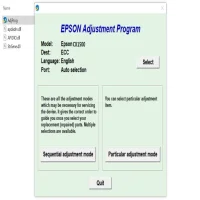
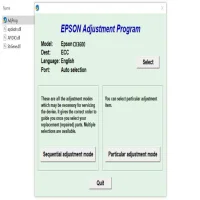
After installation, launch the Epson Stylus CX2800 Adjustment Program. You'll need to select your printer model from the list of compatible Epson printers. Once your printer is selected, the program will display various options for adjustment and maintenance.
Step 4: Perform Adjustments
The Adjustment Program offers a series of maintenance options:
- Ink Pad Reset: This is often the first step if you're experiencing the "Service Required" error. Click the reset button to initiate the process.
- Print Head Alignment: Select the alignment option and follow the on-screen prompts to ensure your print heads are properly aligned.
- Cleaning: Use the cleaning function if you're noticing issues with print quality, such as streaks or faded prints.
Step 5: Reset the Printer
After completing the adjustments, be sure to reset the printer to finalize the process. This will clear any errors and restore your printer to its optimal working condition.
Common Issues and Troubleshooting
-
Unable to Download or Launch Program: If you're unable to download or open the Epson Stylus CX2800 Adjustment Program, make sure you're using a compatible operating system. The program may not work on all versions of Windows or MacOS.
-
Error During Ink Pad Reset: If the ink pad reset doesn't work or the "Service Required" error persists, it may indicate a more serious issue with the printer's hardware. In such cases, professional repair or support may be necessary.
-
Print Quality Issues: If print quality problems remain even after using the adjustment program for head cleaning or alignment, you may need to replace the ink cartridges or check for mechanical issues like clogged nozzles.
Conclusion
The Epson Stylus CX2800 Adjustment Program is a powerful tool for managing maintenance tasks and resolving common printer issues. While the process of obtaining and using the program may seem intimidating for first-time users, it's an essential resource for troubleshooting and restoring your printer to working order. With regular use of the adjustment tools, you can ensure your Epson Stylus CX2800 continues to deliver high-quality prints and function smoothly for years to come.
Rate the App
User Reviews







Popular Apps








