

Latest Version
Download NowMore About Epson Stylus CX1600 Adjustment Program
Epson Stylus CX1600 Adjustment Program: A Comprehensive Guide
The Epson Stylus CX1600 is a multifunction printer that combines printing, scanning, and copying capabilities in one device. Over time, users may face issues with ink levels, alignment, or print quality, which can degrade performance. The Epson Stylus CX1600 Adjustment Program provides a way to address these problems by adjusting the printer’s internal settings, improving its functionality, and extending its life. In this article, we will explore what the Epson Stylus CX1600 Adjustment Program is, how it works, and how you can use it effectively.
What is the Epson Stylus CX1600 Adjustment Program?
The Epson Stylus CX1600 Adjustment Program is a specialized software tool designed to help users reset, recalibrate, and troubleshoot their Epson printers. It allows for adjustments to settings such as ink pad counters, print head alignment, nozzle checks, and waste ink management. This program is often used by technicians and users alike to resolve common printer issues without the need for professional repair services.
Key Features of the Adjustment Program
-
Ink Pad Counter Reset: The ink pads in your printer collect excess ink during the printing process. When these pads reach a certain capacity, the printer may display an error, indicating the need for maintenance. The adjustment program can reset the ink pad counter, preventing further errors and allowing the printer to continue functioning.
-
Print Head Alignment: Misaligned print heads can lead to poor print quality, such as uneven colors or blurry text. The adjustment program allows you to recalibrate the print head alignment, ensuring sharp, clear prints.
-
Nozzle Check and Cleaning: Over time, the ink nozzles in the print head can become clogged, leading to incomplete or faded prints. The program helps you perform nozzle checks and run cleaning cycles to clear any blockages and restore print quality.
-
Waste Ink Management: As ink is used in printing, it is also deposited into a waste ink reservoir. When this reservoir becomes full, it can cause the printer to stop working. The program helps manage waste ink levels and perform necessary resets to avoid errors related to waste ink.
-
Error Code Troubleshooting: The adjustment program can also help diagnose specific error codes that may appear on your printer, providing guidance on how to resolve these issues.
How to Use the Epson Stylus CX1600 Adjustment Program
Before using the Epson Stylus CX1600 Adjustment Program, make sure you have installed the program on your computer. You may need to download it from a trusted third-party website, as it is not usually available directly from Epson.
Step-by-Step Instructions:
-
Download and Install the Program: Locate a reliable source to download the Epson Stylus CX1600 Adjustment Program. Install the software by following the on-screen prompts. Make sure to disable antivirus software temporarily, as it might interfere with the installation process.
-
Connect Your Printer: Ensure that your Epson Stylus CX1600 is properly connected to your computer via USB or network connection. Turn on the printer.
-
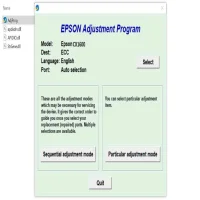
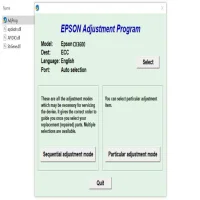
Run the Adjustment Program: Open the Epson Stylus CX1600 Adjustment Program on your computer. The main menu should appear with various options such as "Ink Pad Reset", "Print Head Alignment", and "Nozzle Check."
-
Choose the Desired Adjustment: Depending on the issue you are facing, select the corresponding option. For example, if you need to reset the ink pad counter, select the "Ink Pad Reset" option.
-
Follow the Instructions: The program will guide you through the necessary steps to complete the adjustment. It may prompt you to restart the printer or perform specific actions like pressing certain buttons on the device.
-
Finish the Process: Once the adjustments are made, the program will notify you when the task is complete. You can now test the printer by running a print or scan job to ensure everything is working correctly.
Benefits of Using the Epson Stylus CX1600 Adjustment Program
-
Improved Print Quality: Recalibrating the print head alignment and performing nozzle checks can significantly enhance the quality of your prints, ensuring clear, crisp text and vibrant colors.
-
Cost-Effective Solution: Rather than paying for professional repair services or replacing parts, the adjustment program allows you to perform maintenance and troubleshooting at home, saving you money in the long run.
-
Extended Printer Lifespan: Regular maintenance through the adjustment program can help you prevent common issues like ink pad overflow or print head blockages, ensuring your Epson Stylus CX1600 lasts longer.
-
Convenience: With the program, you can troubleshoot and resolve issues without needing to visit a service center, making it a convenient option for home users and small businesses.
Conclusion
The Epson Stylus CX1600 Adjustment Program is an invaluable tool for maintaining the performance of your printer. By using it to perform routine maintenance tasks, you can ensure your device continues to produce high-quality prints while avoiding costly repairs. Whether you are dealing with ink pad errors, print head misalignment, or nozzle clogs, this program provides a straightforward solution that can save you both time and money.
Rate the App
User Reviews







Popular Apps








