


Latest Version
Download NowMore About Epson Stylus CX2900 Adjustment Program
Epson Stylus CX2900 Adjustment Program: A Comprehensive Guide
The Epson Stylus CX2900 is an all-in-one inkjet printer that offers great value for home and office users alike. Whether you're using it for printing, scanning, or copying, the Epson Stylus CX2900 is designed to handle a wide range of tasks. However, over time, you might encounter some performance issues, such as print quality degradation, ink pad issues, or error messages. In such cases, the Epson Stylus CX2900 Adjustment Program can be a helpful tool for restoring your printer to optimal condition.
What is the Epson Stylus CX2900 Adjustment Program?
The Epson Stylus CX2900 Adjustment Program is a software utility that allows users to perform various maintenance and diagnostic tasks on their printer. This program is typically used to reset or adjust specific printer functions, such as the ink pad counter, print head alignment, and waste ink disposal. It's an unofficial tool that can help extend the lifespan of your printer by resetting error counters and fixing issues that standard troubleshooting methods might not resolve.
Key Features of the Epson Stylus CX2900 Adjustment Program
-
Ink Pad Counter Reset: One of the most common issues faced by users is the ink pad counter reaching its limit. This counter tracks the amount of ink absorbed by the waste ink pads. When the counter hits its threshold, it triggers an error message, which can prevent the printer from functioning properly. The adjustment program allows users to reset the ink pad counter, giving the printer a fresh start.
-
Print Head Cleaning: If you notice that your prints are coming out streaked or blurry, it could be due to clogged print heads. The program provides an option for deep cleaning the print heads, which can help resolve print quality issues by removing dried ink from the nozzles.
-
Waste Ink Management: Over time, waste ink can build up in your printer, which may lead to malfunctions. The program can help manage waste ink accumulation by resetting the waste ink counter and allowing the printer to resume normal operation.
-
Print Head Alignment: Misalignment of the print head can cause issues like blurry or offset prints. The adjustment program includes a feature for aligning the print head, ensuring accurate and high-quality prints.
-
Resetting Error Codes: If your printer is displaying error codes related to paper jams, ink cartridge issues, or other malfunctions, the program can help reset these error codes, allowing you to troubleshoot and resolve problems effectively.
How to Use the Epson Stylus CX2900 Adjustment Program
Before you start, it's important to note that the Epson Stylus CX2900 Adjustment Program is not officially provided by Epson. It’s a third-party utility, so you’ll need to download it from a trusted source. Follow these steps carefully:
-
Download the Program: Find a reliable website that offers the Epson Stylus CX2900 Adjustment Program. Be cautious and ensure you're downloading the correct version to avoid any potential malware or compatibility issues.
-
Install the Program: After downloading the program, extract the files and run the installer. Follow the on-screen instructions to install the software on your computer.
-
Connect the Printer: Make sure your Epson Stylus CX2900 printer is connected to your computer via USB and powered on.
-
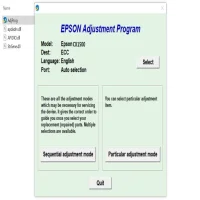
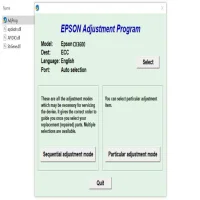
Launch the Program: Open the adjustment program. You might be prompted to select your printer model from a list of Epson devices.
-
Choose the Function You Want to Adjust: The main interface will display various maintenance options, such as resetting the ink pad counter or cleaning the print head. Choose the option that corresponds to the issue you're facing.
-
Follow the On-Screen Instructions: The program will guide you through the necessary steps to complete the adjustment. Be sure to follow the instructions carefully to avoid causing any damage to your printer.
-
Complete the Reset or Adjustment: Once the adjustment process is complete, the program will notify you that the task has been successfully finished. Restart your printer and test it to see if the problem has been resolved.
Precautions When Using the Adjustment Program
-
Backup Important Data: Before using the program, make sure to back up any important documents or files. Though the program is generally safe, it's always a good idea to safeguard your data.
-
Use with Caution: Since the adjustment program is not officially provided by Epson, there’s always a small risk involved. If you’re unsure or uncomfortable using the software, consider reaching out to a professional technician.
-
Printer Warranty: Using the adjustment program may void your printer’s warranty. If your printer is still under warranty, it’s recommended to contact Epson customer support before using this tool.
Conclusion
The Epson Stylus CX2900 Adjustment Program can be a valuable tool for maintaining your printer’s performance and resolving common issues. From resetting the ink pad counter to cleaning the print heads, this utility can save you time and money by allowing you to address problems without professional help. However, it’s essential to exercise caution and ensure you're downloading the program from a trusted source to avoid any potential issues. With the right approach, the Epson Stylus CX2900 Adjustment Program can help keep your printer running smoothly for years to come.
Rate the App
User Reviews







Popular Apps








