


Latest Version
Download NowMore About Epson Stylus CX3500 Adjustment Program
Epson Stylus CX3500 Adjustment Program: A Complete Guide
The Epson Stylus CX3500 is a versatile and reliable printer that combines the capabilities of printing, scanning, and copying in one compact device. However, like many other printers, the CX3500 may sometimes experience performance issues or errors, such as ink pad overflow, incorrect printing, or alignment problems. Fortunately, the Epson Stylus CX3500 Adjustment Program offers a solution to these challenges by allowing users to reset and optimize various printer functions.
In this article, we’ll walk you through the Epson Stylus CX3500 Adjustment Program, explaining its purpose, features, and how to use it to fix common printer problems.
What is the Epson Stylus CX3500 Adjustment Program?
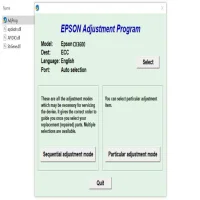
The Epson Stylus CX3500 Adjustment Program is a utility designed to help users reset specific functions of their printer. The program is typically used to address issues related to waste ink pads, printer head alignment, and ink flow problems. By running the program, users can restore their printer’s functionality without needing to visit a service center.
This program is often used for:
-
Ink pad reset: Over time, the ink pads in your printer may become saturated with excess ink, leading to error messages or malfunctioning. The adjustment program allows you to reset the ink pad counter and avoid unnecessary errors.
-
Print head alignment: Misaligned print heads can cause poor print quality, including streaks or faded colors. The program offers an option to realign the heads, improving print accuracy and quality.
-
Clearing error codes: If your Epson Stylus CX3500 displays an error code, such as "service required" or other specific codes, the adjustment program can sometimes resolve these issues by resetting internal counters or clearing minor malfunctions.
Features of the Epson Stylus CX3500 Adjustment Program
The Epson Stylus CX3500 Adjustment Program provides several useful features for maintaining and troubleshooting your printer:
-
Waste Ink Pad Reset: The waste ink pads collect excess ink during the printing process. When they reach their limit, the printer may display an error. The adjustment program allows you to reset this counter, preventing the printer from stopping due to full waste ink pads.
-
Head Cleaning and Alignment: For improved print quality, the adjustment program provides head cleaning and alignment options, ensuring that the print heads are correctly aligned to the paper.
-
Nozzle Check: The program allows you to perform a nozzle check to see if the print head is clogged or misaligned, which helps to maintain consistent print quality.
-
Epson Printer Service Reset: This option allows users to reset the printer’s internal counters, often resolving errors related to the printer’s hardware or software.
How to Use the Epson Stylus CX3500 Adjustment Program
Before you begin using the Epson Stylus CX3500 Adjustment Program, make sure your printer is connected to your computer and powered on. Follow these steps:
-
Download the Adjustment Program:
- The program is not officially provided by Epson, but you can find it on third-party websites. Be cautious when downloading files from unofficial sources to avoid malware. Once downloaded, extract the files to a folder on your computer.
-
Run the Program:
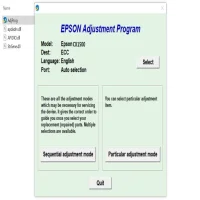
- Open the folder where the program files are located and double-click the "AdjProg" or similar file to launch the program.
-
Select Your Printer Model:
- The program will ask you to select your printer model from a list. Make sure to choose "Epson Stylus CX3500" from the dropdown menu.
-
Perform the Necessary Adjustments:
- Depending on the issue you’re facing, select one of the available options (such as "Waste Ink Pad Reset," "Head Alignment," or "Nozzle Check").
- For resetting the ink pad counter, choose the appropriate reset option and click "OK." The program will prompt you to confirm the reset.
- For head cleaning or alignment, follow the on-screen instructions to clean the heads or realign them.
-
Restart the Printer:
- After completing the necessary adjustments, turn off the printer, wait for a few seconds, and then turn it back on. This helps the printer register the changes.
-
Test the Printer:
- Finally, run a test print or scan to ensure that the issue has been resolved and that the printer is functioning correctly.
Precautions and Considerations
-
Backup Important Files: Always back up any important files or documents before running the program, as adjustments could potentially lead to unintended results.
-
Use Caution with Third-Party Software: As mentioned, the Epson Stylus CX3500 Adjustment Program is not officially provided by Epson. Make sure to download the program from a reputable website to avoid any security risks.
-
Limit Use: Avoid frequently resetting or adjusting your printer’s internal functions. Use the program only when necessary, such as when an error occurs or print quality degrades significantly.
Conclusion
The Epson Stylus CX3500 Adjustment Program is a valuable tool for troubleshooting and maintaining your printer. Whether you're dealing with ink pad issues, print quality problems, or error codes, this program can help you restore your printer’s functionality without needing professional repair services. By following the steps carefully, you can ensure that your Epson Stylus CX3500 continues to perform at its best for years to come.
Rate the App
User Reviews








Popular Apps








