


Latest Version
Download NowMore About Epson Stylus CX3200 Adjustment Program
Epson Stylus CX3200 Adjustment Program: A Comprehensive Guide
The Epson Stylus CX3200 is a reliable all-in-one printer that combines high-quality printing, scanning, and copying in a single device. Like most printers, however, over time, the printer may experience performance issues due to clogged print heads, ink waste, or other hardware-related problems. To resolve these issues and maintain optimal performance, the Epson Stylus CX3200 Adjustment Program offers a solution.
What is the Epson Stylus CX3200 Adjustment Program?
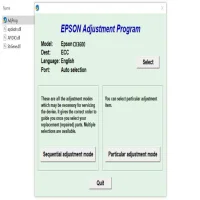
The Epson Stylus CX3200 Adjustment Program is a diagnostic tool that allows users to perform maintenance and adjustments on their Epson printer. This program is especially useful when the printer encounters error messages or malfunctions that prevent it from functioning correctly. It helps reset internal counters, clean the print head, and fix other issues, extending the life of the printer and ensuring smooth operation.
Features and Functions of the Adjustment Program
-
Ink Pad ResetOne of the common issues with Epson printers is ink pad overflow. The printer keeps track of how much ink is absorbed by the ink pads during normal printing operations. When these pads reach their capacity, the printer triggers an error. The Adjustment Program allows users to reset this counter, eliminating the error and allowing the printer to function as if it were brand new.
-
Head Cleaning and AlignmentClogged nozzles can lead to poor print quality, such as missing lines or faded text. The Adjustment Program enables users to clean the print head manually. Additionally, it provides options for aligning the print heads to improve print quality, ensuring that all ink cartridges deliver consistent and accurate color output.
-
Error Code ResolutionsSometimes, your printer may display error codes that suggest specific hardware malfunctions. The Adjustment Program helps you identify these issues and resolve them, either through diagnostic procedures or resetting certain components to their factory settings.
-
Resetting Internal CountersOver time, the printer’s internal counters (such as the page count or ink usage) can accumulate and trigger errors or performance degradation. The Adjustment Program resets these counters, clearing any internal logs and enabling the printer to perform without interruptions.
-
Test Print FunctionalityThe program provides test pages to verify that the printer is functioning properly after adjustments have been made. This ensures that the print heads are correctly aligned and the ink flows without obstruction.
How to Use the Epson Stylus CX3200 Adjustment Program
-
Download the ProgramThe first step is to download the Epson Stylus CX3200 Adjustment Program from a reputable website. It’s important to ensure that you are downloading from a trusted source to avoid malware or malicious software.
-
Install the ProgramOnce downloaded, run the installation file and follow the on-screen instructions to install the program. After installation, the program will be ready to use.
-
Connect the Printer to the ComputerBefore running any adjustments, make sure that the Epson Stylus CX3200 printer is properly connected to your computer via USB or network connection. Ensure the printer is powered on and ready for maintenance.
-
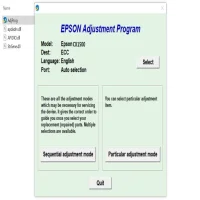
Launch the Adjustment ProgramOpen the Adjustment Program on your computer. You’ll be prompted to select your printer model from a list. Select the Epson Stylus CX3200 and proceed to the main menu.
-
Perform AdjustmentsFrom the menu, choose the maintenance tasks you want to perform, such as ink pad reset, head cleaning, or resetting internal counters. The program will guide you through each step, providing clear instructions on what to do.
-
Test the PrinterAfter completing the necessary adjustments, perform a test print to ensure that the printer is functioning properly. This will allow you to verify that any issues with print quality, alignment, or error codes have been resolved.
Conclusion
The Epson Stylus CX3200 Adjustment Program is an invaluable tool for users looking to maintain and troubleshoot their printer. By allowing users to reset internal counters, clean the print head, and address other common issues, this program can help extend the lifespan of your printer while ensuring optimal performance. Whether you are dealing with ink pad overflow or alignment problems, the Adjustment Program offers a simple and efficient solution to keep your Epson Stylus CX3200 running smoothly.
Rate the App
User Reviews








Popular Apps








