


Latest Version
Download NowMore About Epson Stylus CX3300 Adjustment Program
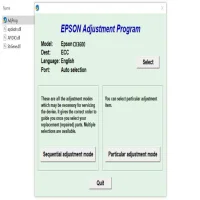
Epson Stylus CX3300 Adjustment Program: A Comprehensive Guide
The Epson Stylus CX3300 is a versatile and reliable all-in-one printer, scanner, and copier designed to cater to the needs of both home and office users. However, like any other electronic device, the printer may encounter certain issues over time that can hinder its performance. To address these problems, Epson has designed a specialized tool known as the Epson Stylus CX3300 Adjustment Program. This program is a powerful utility that allows users to perform various maintenance and repair tasks to ensure the printer continues functioning optimally.
In this article, we'll explore the Epson Stylus CX3300 Adjustment Program, its purpose, how to use it, and some common issues it can fix.
What is the Epson Stylus CX3300 Adjustment Program?
The Epson Stylus CX3300 Adjustment Program is a diagnostic tool specifically created for Epson printers, including the CX3300 model. It helps resolve a range of issues related to print quality, error codes, and printer maintenance. One of the most common features is its ability to reset the waste ink counter, a crucial function that helps prevent your printer from stopping unexpectedly due to an ink overflow warning. This adjustment program can also handle tasks like cleaning the print head, resetting the ink pads, and fixing paper jam errors.
Why Do You Need the Epson Stylus CX3300 Adjustment Program?
Over time, inkjet printers like the Epson Stylus CX3300 can face wear and tear. The adjustment program provides a way to fix these issues without requiring professional repair services. Some of the most common reasons to use the Epson Stylus CX3300 Adjustment Program include:
-
Waste Ink Overflow: The printer collects excess ink during normal printing operations. If this ink collection reaches a certain level, the printer will display an error, preventing further printing. The adjustment program resets this counter to allow continued use.
-
Print Head Cleaning: When the print quality deteriorates, the printer may require head cleaning. The adjustment program automates this process, ensuring the print head is properly cleaned without needing manual intervention.
-
Ink Pad Resets: As the ink pads become saturated over time, the printer will alert you to replace or reset them. The adjustment program can help reset the ink pad counter, allowing you to continue using the printer without replacing the physical ink pads.
-
Fixing Error Codes: The program can assist in fixing various printer error codes that might arise, making it an essential troubleshooting tool.
How to Use the Epson Stylus CX3300 Adjustment Program
Using the Epson Stylus CX3300 Adjustment Program is relatively simple. Here’s a step-by-step guide to help you get started:
Step 1: Download the Adjustment Program
First, download the Epson Stylus CX3300 Adjustment Program from a reputable source. Be sure to verify the website’s credibility to avoid downloading malicious files.
Step 2: Install the Program
Once the file is downloaded, open the setup file and follow the on-screen instructions to install the program on your computer. After installation, launch the program.
Step 3: Connect Your Printer
Make sure your Epson Stylus CX3300 is properly connected to your computer via USB or network connection. Ensure the printer is powered on.
Step 4: Run the Program
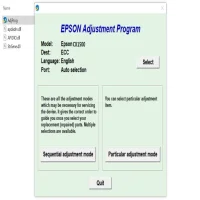
In the adjustment program interface, select your printer model from the available list. Then, choose the specific adjustment option you want to perform (e.g., waste ink reset, head cleaning, etc.).
Step 5: Execute the Adjustment
Follow the on-screen instructions to execute the selected adjustment. The program will guide you through the process and will notify you when the adjustment is complete.
Step 6: Restart Your Printer
Once the adjustment is complete, restart your printer to ensure the changes take effect.
Common Issues and Solutions
-
Cannot Find the Printer Model in the Program:
- If your printer is not listed, ensure that your printer driver is correctly installed on your computer. Additionally, make sure that the printer is properly connected.
-
Program Doesn’t Launch:
- Sometimes, security settings or antivirus software may block the program from running. Try disabling the antivirus or running the program as an administrator.
-
Printer Not Responding After Reset:
- If the printer fails to respond after performing a reset, try rebooting the computer and printer. Ensure that no other devices are connected to the printer.
-
Waste Ink Reset Not Working:
- If the waste ink counter reset fails, check the status of the ink pads and ensure there are no hardware issues with the printer.
Conclusion
The Epson Stylus CX3300 Adjustment Program is an invaluable tool for users experiencing common printer issues. It allows you to reset various counters, perform maintenance tasks, and resolve common error codes without needing to send your printer for repairs. By following the steps outlined above, you can easily perform adjustments to keep your Epson printer running smoothly and efficiently.
Keep in mind that using such programs should be done carefully and with proper understanding of what each adjustment does. With the right use, you can extend the life of your printer and improve its overall performance.
Rate the App
User Reviews








Popular Apps








